Four apps for GoHighLevel
Talk, sell, get paid and ship, all from one CRM.
A GoHighLevel sub-account, plus three apps that turn it into your phone line, your checkout and your shipping desk.
Install the apps for every sub-account, resell them under your own brand, and keep plans, billing and support in one place.
Talk to us right from your browser. No phone number needed.
Four apps. One place to work.
Each one works inside GoHighLevel, so your team stays where your customers already are.
- GoHighLevel sub-accounts CRM, inbox, funnels, calendars and automations, ready to go. 14-day free trial
- Phone Gateway Your Android phones become your CRM's texting and calling line. Available now
- AppNexPay Get paid through Xendit, PayMongo, Maya and DragonPay. Early access
- Courier Hub Courier rates at checkout, labels and tracking in your CRM. Available now
For agencies
Offer the apps to every client.
What you need to roll the apps out across your sub-accounts and resell them.
Install once, for every sub-account
Install at agency level and make the apps available to your sub-accounts.
Agency plans, or build your own
Pick a plan that covers your sub-accounts, or build your own: only the amounts and features you need, for the months you choose.
White-label reselling
Sell the apps under your own brand: your app name, logo, colours and support contact.
Billing and support in one place
A partner portal shows your clients with each app's plan, their support tickets to answer under your name and, for resellers, the invoices you send them.
GoHighLevel sub-accounts
The whole CRM, set up for your business.
Everything in the standard GoHighLevel sub-account, under one login.
Try it free for 14 days. The button opens a call with our team, who set it up with you.
- CRM and contacts
- Pipelines
- Conversations inbox: SMS, email, social and chat
- Websites and funnels
- Forms and surveys
- Calendars and booking
- Email and SMS marketing
- Workflows and automations
- Reputation and reviews
- Social planner
- Memberships and courses
- Invoices and payments
- Reporting
- Mobile app
Texts and calls
Phone Gateway Your phones become your CRM's phone line.
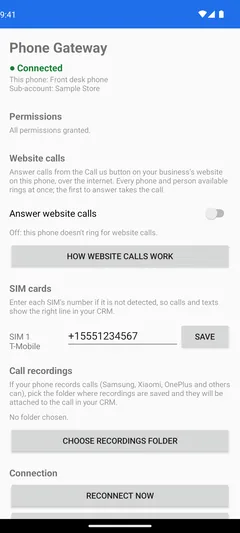
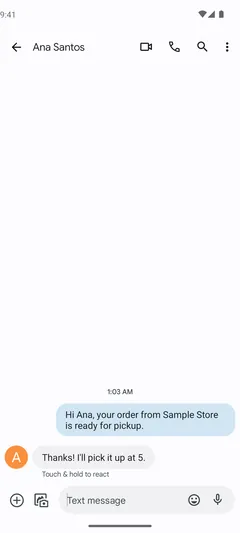
Pair Android phones with your sub-account. Texts from the CRM go out from their SIM cards, and replies and calls land in the contact's conversation.
Texts from your own SIMs
The inbox, workflows, campaigns and missed-call text-back send from your phones. Replies come back to the conversation.
Calls logged in the CRM
Call a contact from your phone in one click. Incoming, outgoing and missed calls are logged, with the recording when the phone records calls.
Website calls, voice and video
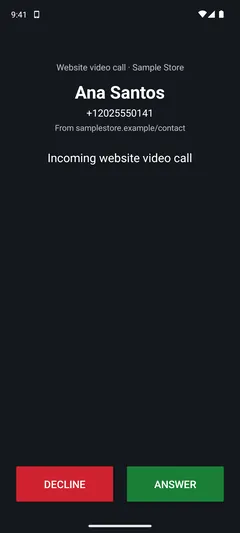
A Call us button for your website, like the one on this page. Visitors talk from the browser; your team answers in the CRM or on a phone.
Callbacks when nobody answers
A missed visitor can ask for a callback. It becomes a task in the CRM and a tap-to-call prompt on the right phone.
Workflows and chat channels
Workflow triggers and actions, video meeting links, and Telegram, Viber, LINE and Discord messages in your inbox.
Needs an Android phone (Android 8.0 or newer) for texts and SIM calls.
Payments
AppNexPay Get paid the way Southeast Asia pays.
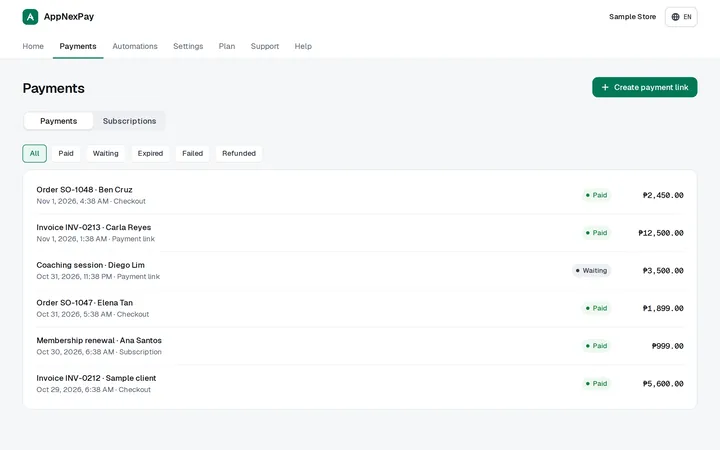
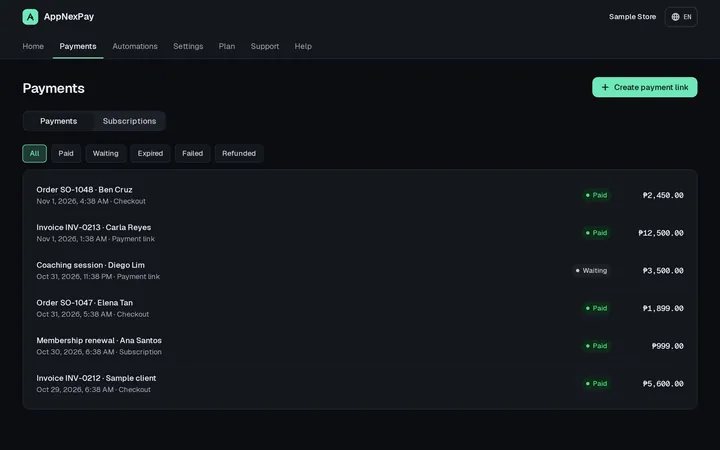
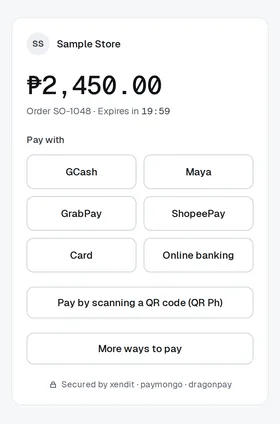
AppNexPay adds a payment option to GoHighLevel invoices, order forms, funnels and payment links, through your own Xendit, PayMongo, Maya Business or DragonPay account.
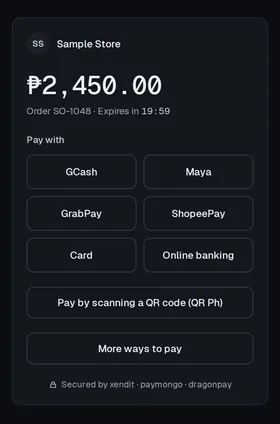
E-wallets, QR codes, cards and bank transfer
GCash, Maya, GrabPay, ShopeePay, QR Ph, QRIS, PromptPay, cards, online banking and more, depending on your provider.
Payment links from anywhere
Create a link from the dashboard or from a workflow, then send it by SMS, email or WhatsApp.
Recurring payments
GoHighLevel subscriptions are billed with a new payment link each cycle.
Status that stays in sync
Invoices and orders are marked paid, and tags let your workflows act on expired links, refunds and renewals.
Your money, your accounts
Payments go straight to your own provider accounts. AppNexPay never holds your funds.
For the Philippines, Indonesia, Thailand, Vietnam and Malaysia.
AppNexPay is in GoHighLevel Marketplace review. Ask for early access and we'll set you up.
Shipping
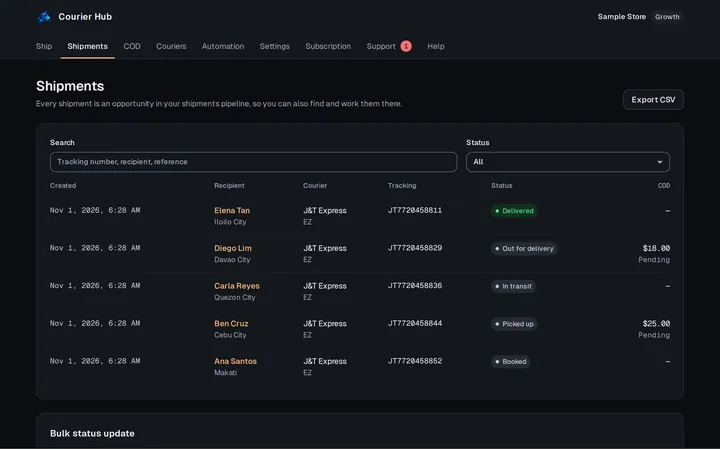
Courier Hub Every courier, one shipping desk in your CRM.
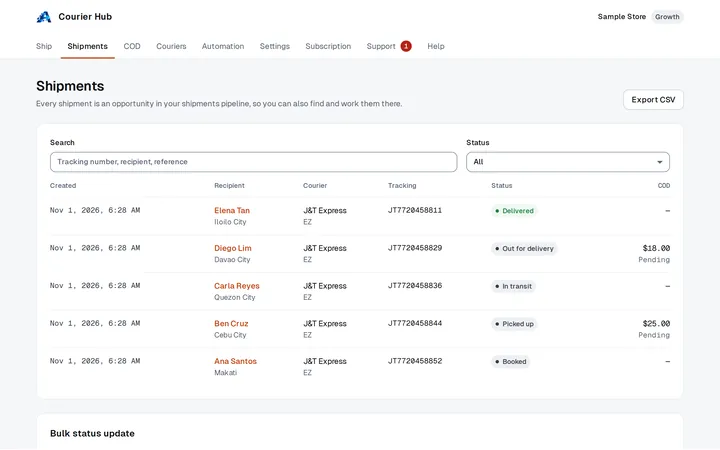
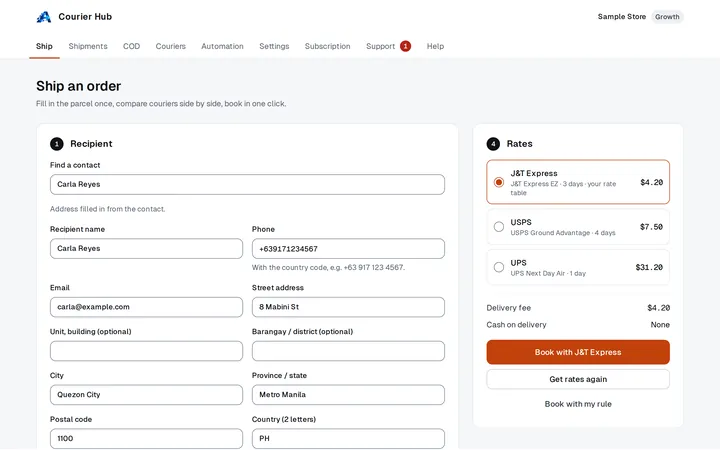
Courier Hub connects each sub-account to its own courier accounts, compares rates, books shipments and tracks every parcel inside the CRM.
Courier rates at checkout
It plugs into your store's shipping as a carrier, so checkout shows your couriers' prices.
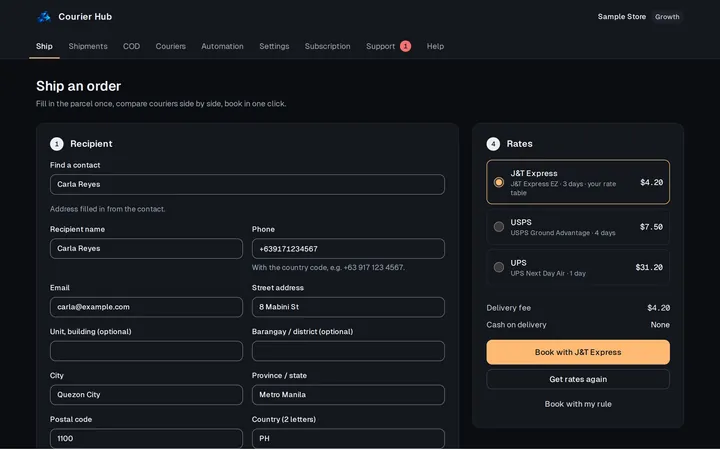
Compare, then book in one click
Live quotes and your own rate tables side by side, or a rule that picks the cheapest or the fastest.
Labels and tracking on the contact
Each shipment moves through a pipeline, with its status on the contact and the tracking number on the order.
Cash on delivery
COD amounts follow the parcel, from pending to collected and remitted.
EasyPost (USPS, UPS, FedEx, DHL and more), Ninja Van, Lalamove and Flash Express, plus LBC, J&T Express, SPX Express and any courier you book yourself.
How it works
Pick your apps
Start a sub-account trial, install Phone Gateway or Courier Hub, or ask for early access to AppNexPay.
Connect what you already have
Pair an Android phone, and connect your own payment provider and courier accounts.
Work from your CRM
Texts, calls, payments and shipments land on your contacts, ready for your workflows.
Install at agency level
Add the apps once and make them available to your sub-accounts.
Choose how you sell
Use an agency plan, build your own, or resell under your own brand.
Manage it in one place
Your clients, their plans, invoices and support tickets, side by side in your partner portal.
Questions
Can I resell the apps under my own brand?
Yes. White-label partners show their own app name, logo, colours and support contact to their sub-accounts. Talk to us to set it up.
Where is my data kept?
Mostly in your own CRM. Phone Gateway logs texts and calls in your conversations, Courier Hub keeps shipments and settings in your sub-account, and AppNexPay sends payments straight to your own provider accounts without storing your customers' names, emails or phone numbers. Each app's privacy policy is linked at the bottom of this page.
Is there a free trial?
GoHighLevel sub-accounts come with a 14-day free trial. For Phone Gateway, AppNexPay and Courier Hub, talk to us about trials and plans.
How do I get help?
Tap Call us on this page to talk to our team from your browser. Each app also has a Support tab where you can raise and follow requests.
Do I need an Android phone for Phone Gateway?
Yes, for texts and SIM calls. The app runs on Android 8.0 or newer, because iPhones don't let apps send texts or read the call log. Website calls can also be answered in the CRM, in your browser.
Ready when you are.
Tap the button to talk to our team from your browser. No phone number, no forms.